Example prompts for everyday design system work with the Supernova agent. Copy them and replace the names with pages, tokens, and components from your own design system, or @ mention them directly.
How to use this page
Most workflows follow the same pattern:
- Ask — find or list what needs attention.
- Review — check the list the agent returns.
- Act — ask the agent to make the change. Publishing and deleting wait for your confirmation.
For how the agent works, see Agent 101.
Ask questions and explore

The agent answers questions using the design system data you have access to in Supernova.
- "Where is the Card component documented?"
- "Which token should I use for error text?"
- "What's the difference between Button and IconButton?"
- "Summarize our spacing guidelines."
Audit your documentation
Find gaps and inconsistencies before you fix them. These prompts only read data, so nothing changes until you ask.
- "List documentation pages that are blank or nearly empty."
- "Which documentation pages have never been published?"
- "Find every page that mentions 'button brand'."
- "Show me a table of our components and their documentation pages."
Contributors and above can follow up on the results in the same chat:
- "Now update every mention of 'button brand' to 'button primary'."
- "Delete the blank pages." The agent lists the pages and waits for your confirmation.
Write and restructure documentation
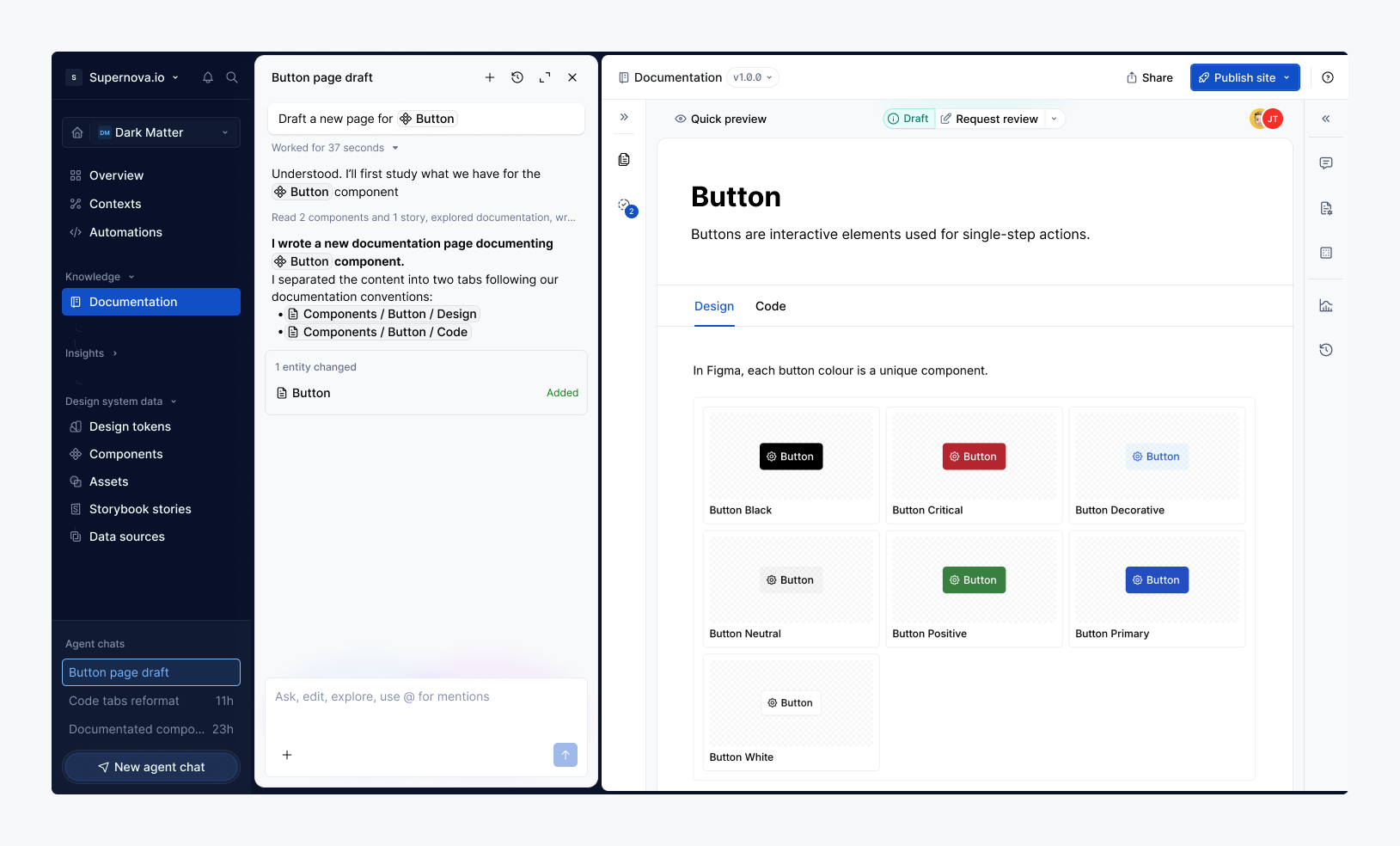
Draft new pages, rewrite existing ones, and reorganize structure. Open the page first to attach it to the chat automatically.
- "Write a documentation page for the Checkbox component with anatomy, usage, and do's and don'ts. Match how we document other components."
- "Create a component documentation template with Design and Code tabs."
- "Split this page into Design and Code tabs."
- "Populate this page with an overview of all our components, grouped by category."
- "Add this screenshot to the Usage section of the Card page."
- "Add this Figma frame to the Button page: [Figma frame link]"
- "Move all pattern pages into a new Patterns group."
Refine a draft over a few follow-up prompts, for example "Make the usage section shorter" or "Add an accessibility section."
Publish documentation
Publish from the chat after you finish editing. See Agent 101 for how the publish card works.
- "Publish what we worked on."
- "Publish all documentation."
- "Mark all Foundations pages as ready for publishing."
Clean up and maintain tokens
Keep token data tidy without editing tokens one by one.
- "What tokens are unused right now?"
- "Write descriptions for tokens that don't have one. Ask me if you're not sure."
- "Rename the space tokens from space-1…space-8 to space-xs…space-3xl."
- "Create a Dark theme and set overrides for the background tokens."
- "Set the Token set property to Semantic for every token in the Foreground group."
- "Create color tokens from this CSV."
Example: remove unused tokens
- Ask: "What tokens are unused right now?"
- Review the list the agent returns.
- Ask: "Delete the unused tokens."
- Check the list of tokens in the confirmation, then confirm.
Maintain components
Update component data in bulk and keep it consistent.
- "Rename the Button component to Button Primary."
- "Set the status property on every component: stable, beta, or deprecated."
- "Mark Tag as deprecated, add a notice to its documentation page, and point to Chip as the replacement."
- "List components that are missing a description, then write one for each."
Connect components to Figma and documentation
Link your component data to its sources so documentation and data stay in sync.
- "List components that don't have a Figma component linked."
- "Link Figma components to our components based on matching names."
- "Create components for every imported Figma component that doesn't have one yet."
- "Show me components that don't have a documentation page, then create pages for them in our usual style."
Set up data sources and code automation
Connect data and run exports without leaving the chat.
- "Import this Figma file as a data source: [Figma file link]"
- "Reimport our Figma data source."
- "Create an export pipeline for our tokens using the Tailwind exporter."
- "Run the token export pipeline and tell me if it failed."
The agent can't connect Figma or other external services for you. Connect them in Supernova first.
Build skills, files, and contexts
Package your design system knowledge for AI tools.
- "Turn our Writing guidelines page into a skill."
- "Update the accessibility skill with the new focus ring rules from this page."
- "Create a context for the iOS team with Foundations documentation and color tokens."
- "Show unresolved feedback on the iOS context and resolve anything we've already fixed."
Next steps to explore