
Overview
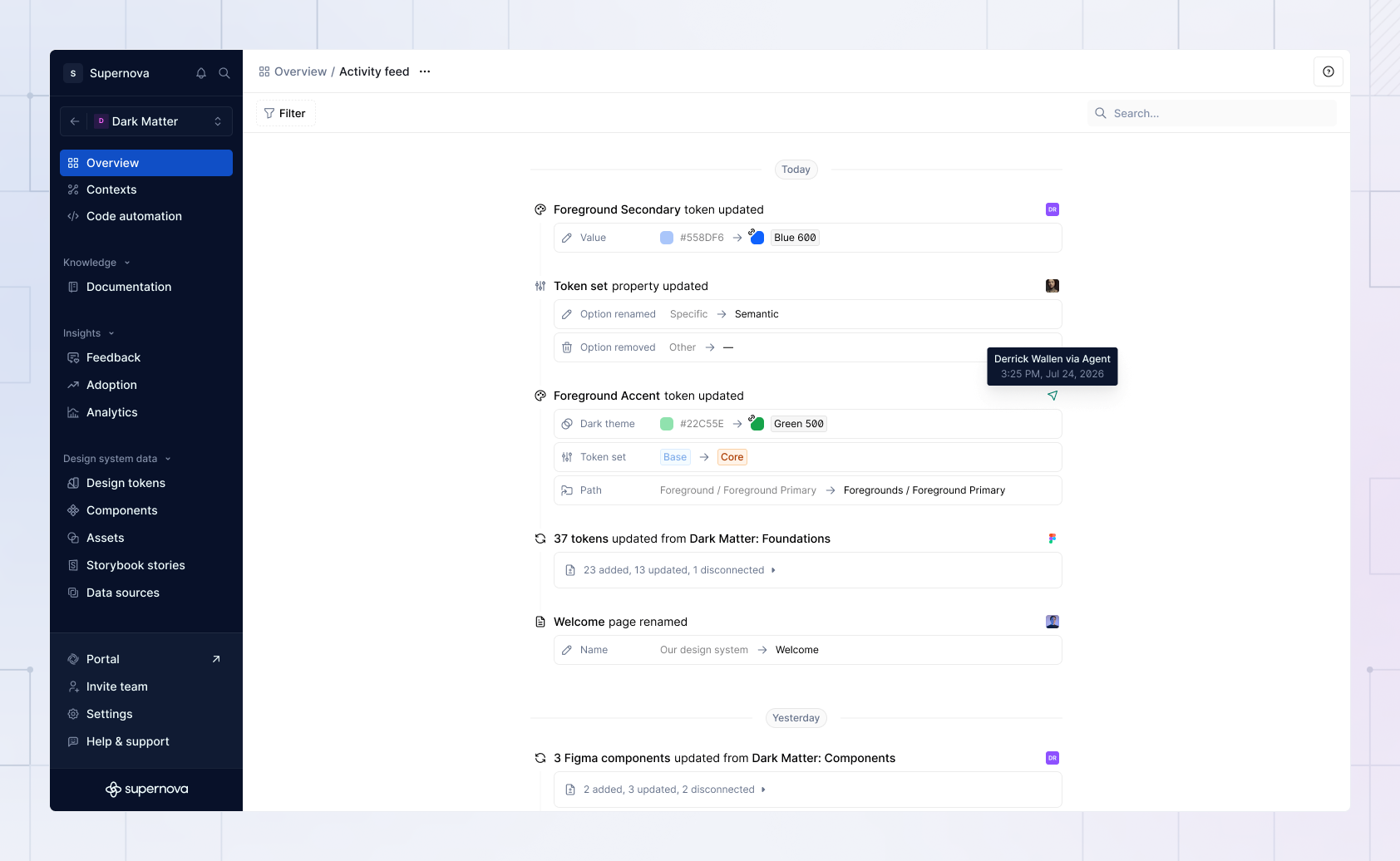
The activity log is a read-only record of changes to your design tokens, components, assets, and documentation pages. Each entry shows who made the change, where it came from, when it happened, and the values before and after.
With the activity log, you can:
- See the history of a single token, component, or documentation page
- Review recent changes across a section or the whole design system
- Tell apart changes made in Supernova, by Figma or Tokens Studio imports, and by agents
- See exactly what an import or bulk edit changed
- Query activity from your AI tools through Editor MCP
Where to find the activity log
|
Scope |
Where to open it |
What it lists |
|---|---|---|
|
Design system |
Overview → Activity feed |
Changes across the design system, filterable by item type |
|
Section |
Design tokens, Components, Assets or Documentation → Activity feed |
Changes to all items in that section |
|
Token |
Token detail → Activity |
Changes to that token |
|
Figma component |
Figma component detail → Activity |
Changes to that component |
|
Design system component |
Component detail → Activity |
Changes to that component |
|
Documentation page |
Documentation editor toolbar → Activity |
Changes to the page and its tabs |
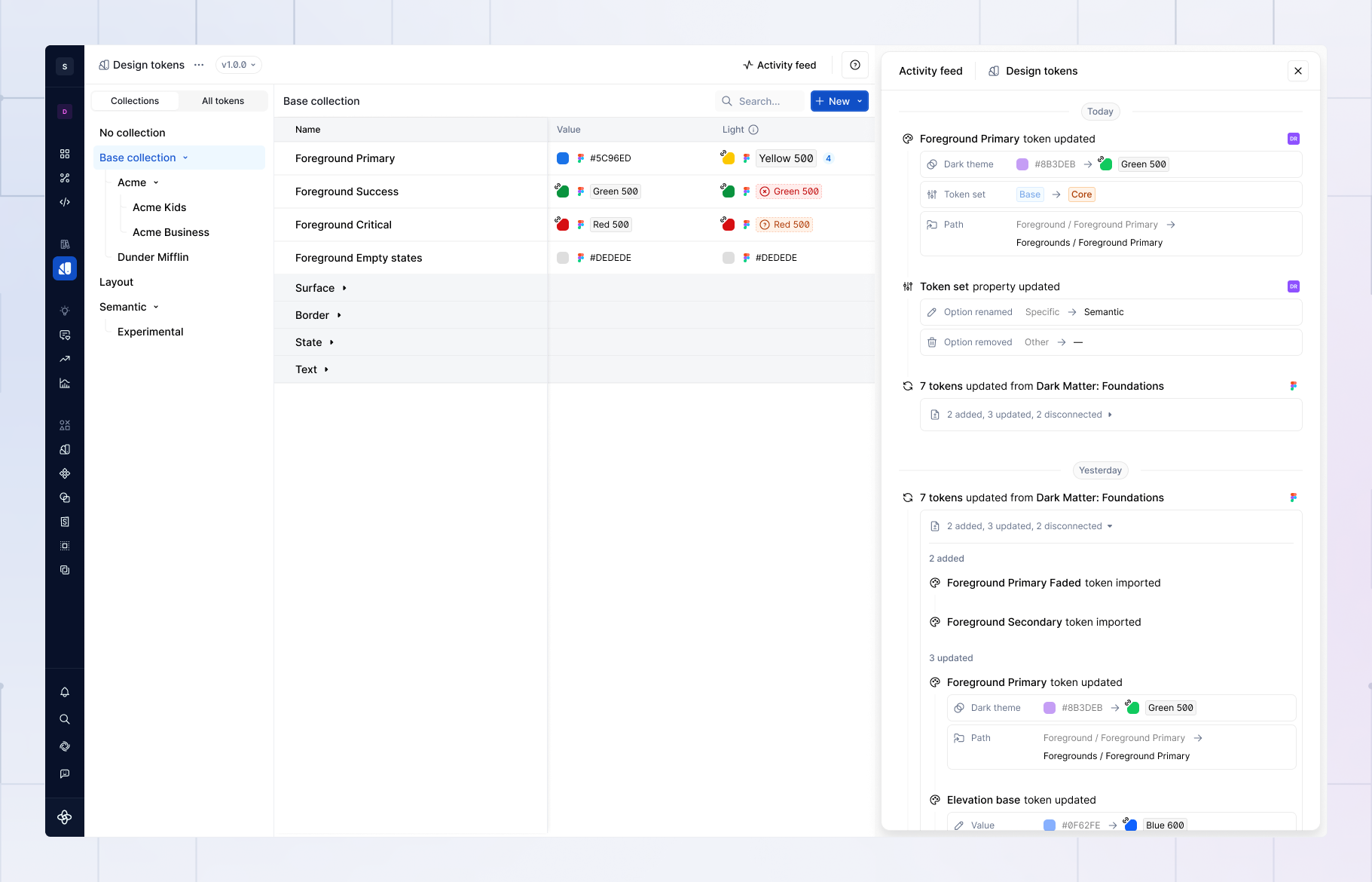
Feeds list changes newest first, grouped by day. Changes that affect a whole section, such as editing a component property definition or publishing the documentation, appear only in the section feed.
Activity entries
Each entry names the item and the action, shows who made the change, and lists the changed properties with their values before and after. Names are saved as they were at the time of the change, so history stays readable after an item is renamed or deleted.
The icon next to an entry shows where the change came from:
|
Person's avatar |
Edited in Supernova |
|---|---|
|
Figma |
Figma import or the Figma Variables Sync plugin |
|
Tokens Studio |
Tokens Studio sync |
|
Agent |
Supernova Agent or Editor MCP, acting on behalf of a person |
What is recorded
|
Item |
Recorded changes |
|---|---|
|
Design tokens |
Created, imported, edited, moved, theme overrides, custom property values, disconnected, deleted |
|
Figma components and assets |
Imported, updated, moved to another Figma source, unlinked, deleted |
|
Design system components |
Created, edited, custom property values, Figma component linked, deleted |
|
Documentation |
Pages, groups, and tabs created, edited, moved, duplicated, published, deleted, or restored |
|
Properties and themes |
Created, edited, deleted |
Not part of the activity log at the moment: Design system settings, versions, datasets, Storybook stories, comments, and workspace members.
Activity in MCP
Editor MCP gives your AI tools access to the activity log. Agents can filter it by person, source, item type, specific items, and date range, and read the values before and after each change.
Example prompts
- What changed in our tokens this week?
- List everything Joe changed in the documentation today.
- What did the last Figma import change? Did it unlink anything?
FAQ
Changes are recorded from the release of the activity log in November 2026. A marker in the log shows where tracking started.
Edits that you change back within a minute are hidden, because they leave the item unchanged. Changes from imports, agents, and bulk edits are always shown. Hidden edits are still available through MCP.
No, the activity log is read-only. Use the recorded values to revert a change, or restore documentation content from Page history.
Page history stores snapshots of a page's content that you can compare and restore. The activity log records changes across the whole design system and links content edits to their revision in Page history.