
This version was released on November 3, 2026.
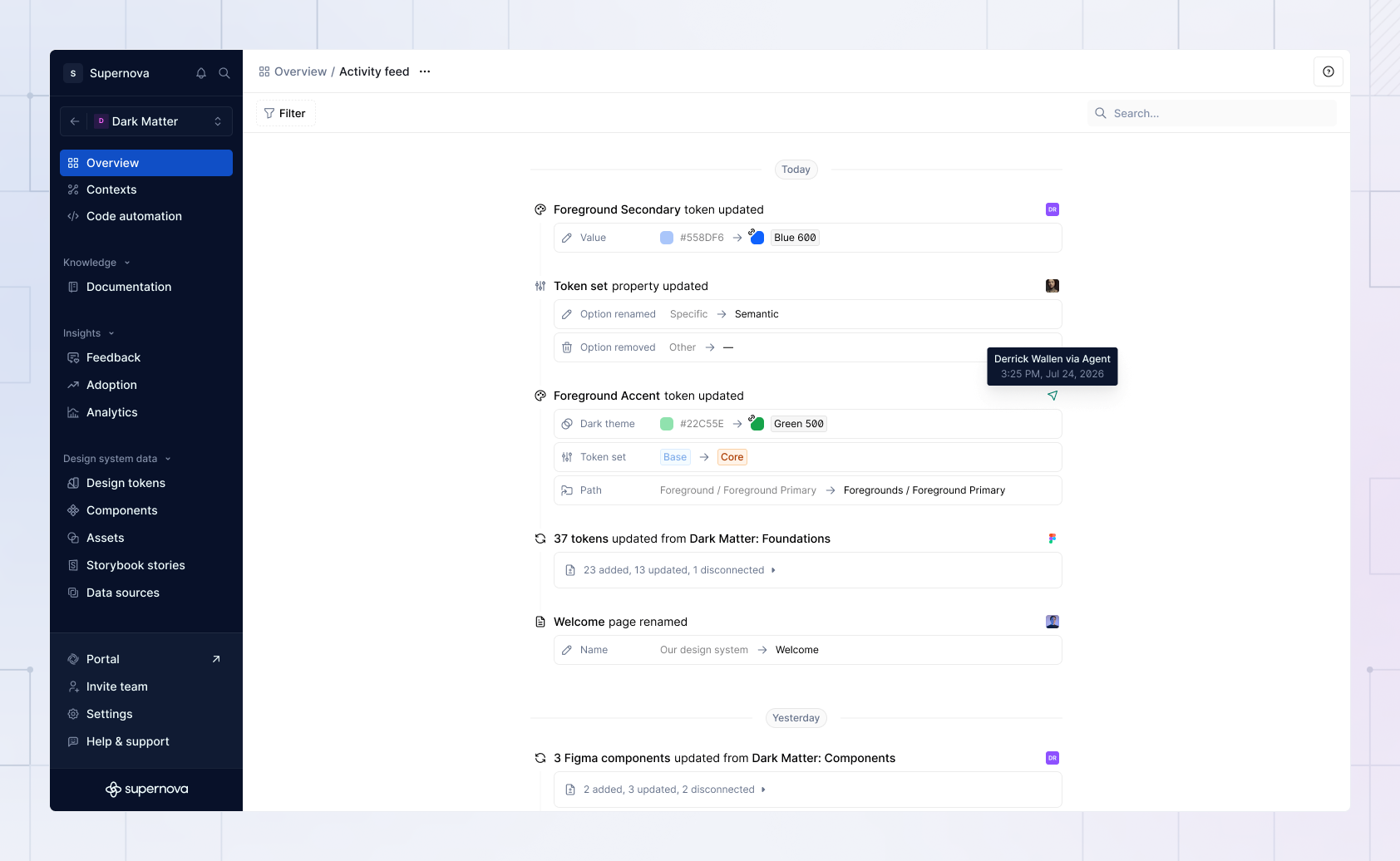
Today, we're launching the Activity log: a record of every change to your design tokens, components, assets and documentation. Your design system changes every day: your team edits it, Figma syncs it, and agents update it. Now you can see who changed what, when, and how.
See what changed
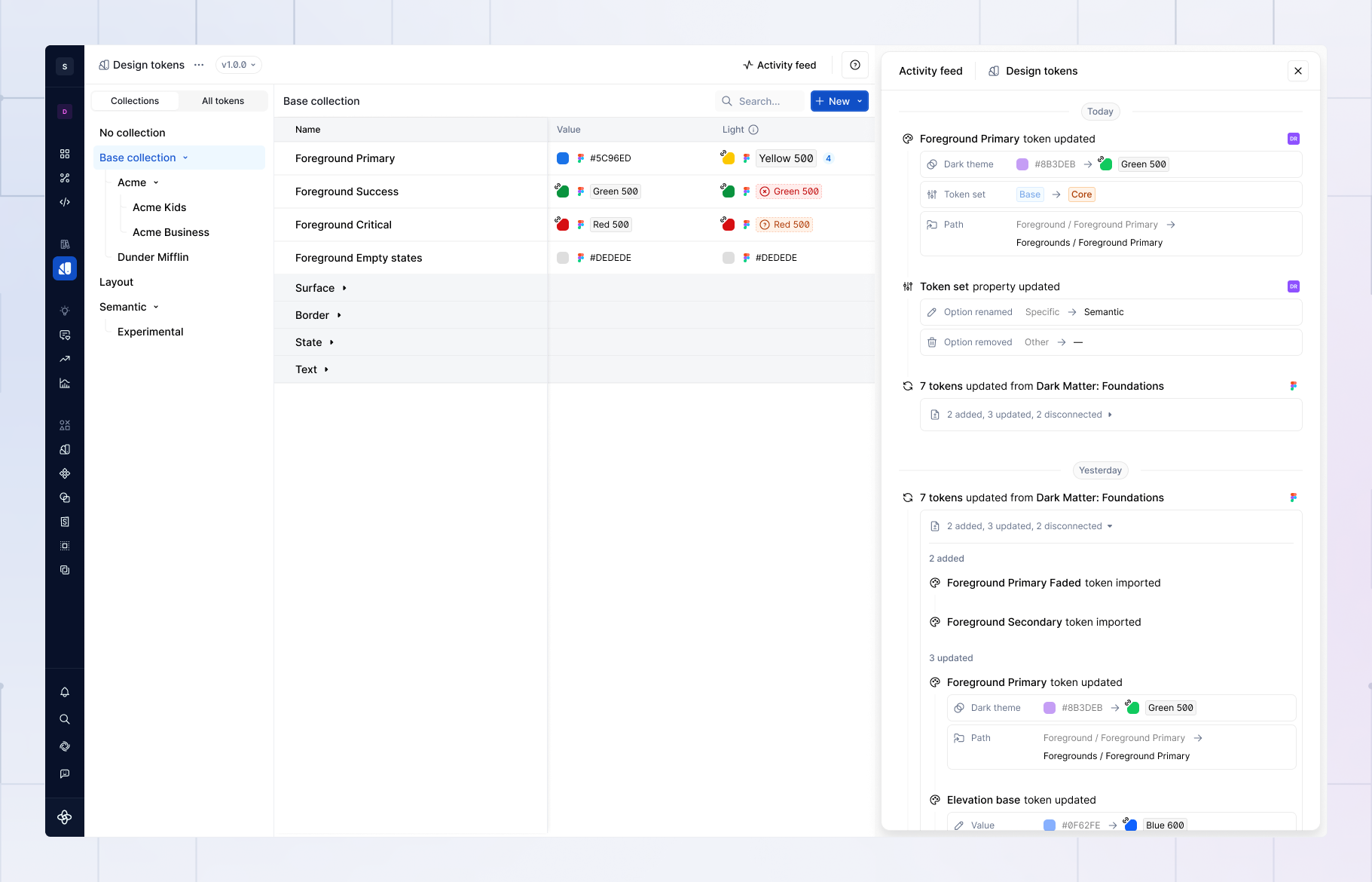
Open Activity feed on your design system's Overview for every change, newest first and grouped by day. Design tokens, Components, Assets and Documentation each have their own feed too. An import or a bulk edit is one entry you can open to see each change it made.
Trace any change to its source
- Who and how. Each entry shows who made the change and whether it came from Supernova, Figma, Tokens Studio or an agent.
- Before and after. Open Activity on any token, component or documentation page to see its old and new values.
- Ask your agent. With Editor MCP, your AI tools can ask what changed, who changed it and when.
Get started
Click Activity feed on your design system's Overview, or Activity on any token, component or documentation page. Available on the Enterprise plan. Changes are recorded from this release on.
Smaller fixes are listed on the Bug fixes page.