
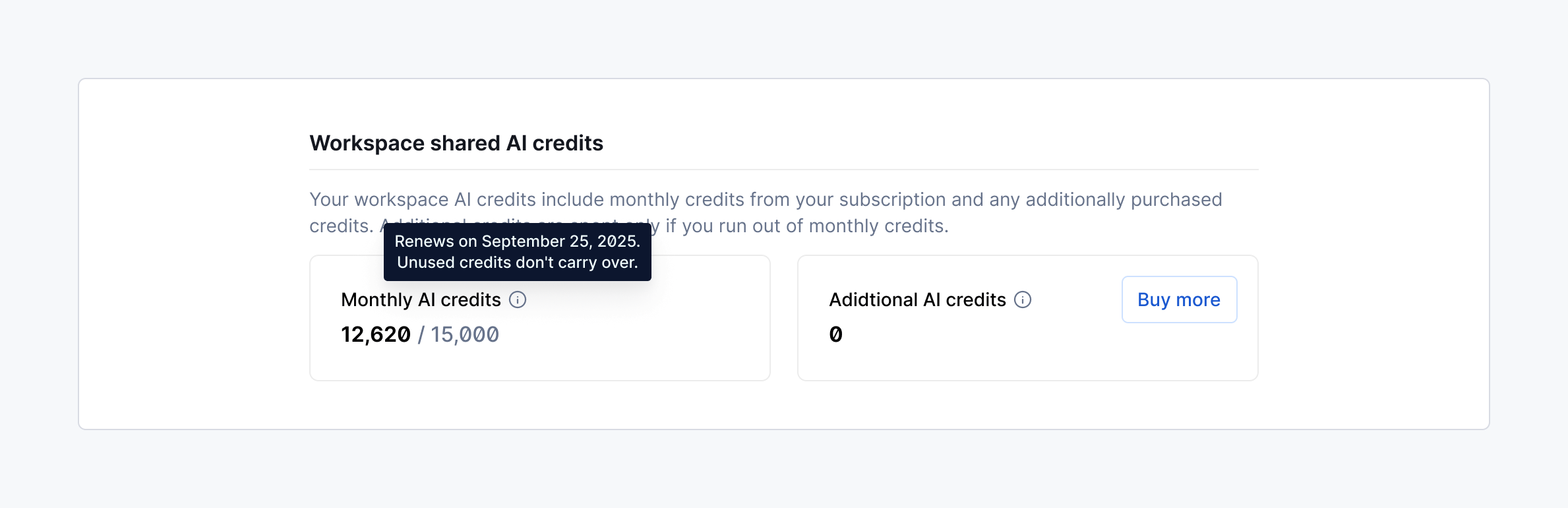
You can find the workspace shared credits balance on the Billing page, under the Workspace section in your Settings.
What are workspace credits
Workspace credits serve as the currency for utilizing AI features, such as asking questions in Supernova.
When you use Ask AI to answer questions about your design system, credits are consumed based on how much AI processing is needed.
Types of credits
- Monthly credits: Included with your plan and renewed monthly. Unused credits don't carry over.
- Extra monthly credits: Additional credits you can purchase to receive recurring extra credits each month, giving you more capacity for AI and automation usage.
Credits included per plan
|
Plan |
Included credits |
|---|---|
|
Free |
1,000 credits per month |
|
Pro |
10,000 credits per month |
|
Enterprise |
Custom credits |
Extra monthly credits
You can purchase Extra monthly credits to get more credits every month for additional AI and automation usage.
How credits are consumed
Supernova Portal uses a usage-based credit system for AI-powered search and assistance through Ask AI.
Credits are consumed when you ask questions about your design system, with costs varying based on the complexity and depth of information processing required. Simple lookups use fewer credits, while comprehensive analysis across multiple data sources uses more. This ensures you only pay for the actual AI processing you use.
What you can use credits for
- Ask AI questions about your design system (for example: search for specific tokens, understand component patterns, etc.)
Credits are consumed when using AI features, MCP editing, or automations as follows:
|
In-product agent (Beta) |
50 credits / message |
|---|---|
|
Ask AI |
25 credits / message |
|
Editor MCP |
Reading is free and unlimited for all users. |
FAQ
When exactly will my monthly credits renew?
Your monthly credits renew on the same day each month that you purchased your subscription.
For example: For a yearly subscription purchased on February 17th, credits renew on the 17th of every month. To see your exact renewal date, hover over the info icon next to your monthly credits in your workspace.
Who can use credits?
Every member of the workspace can consume credits.